The Workflow
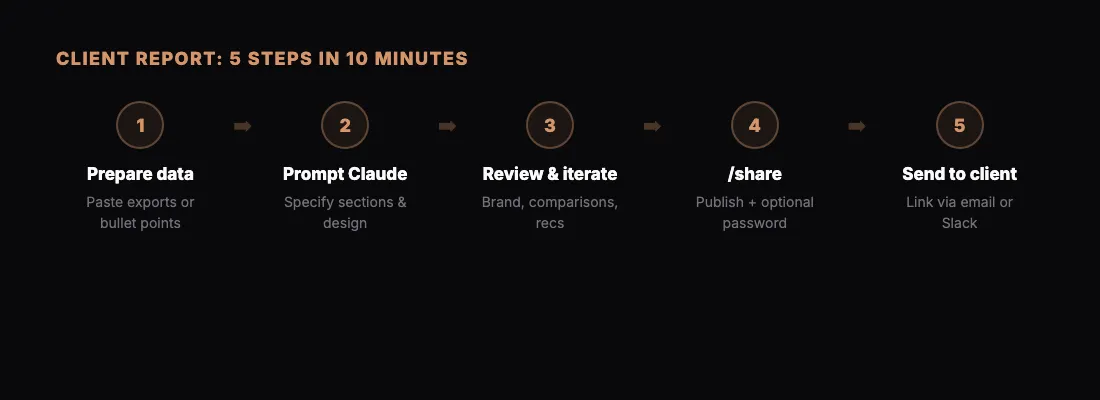
This is a workflow we use at BotsCrew for client deliverables. It takes about 10 minutes from start to shared link.
To see where it ends up, open the two finished examples on our client report page: a weekly creative report and a monthly IT service report.
Step 1: Prepare Your Data
Paste your data into Claude — spreadsheet exports, API responses, or just bullet points. Claude works with whatever format you have.
Step 2: Ask Claude to Build the Report
Be specific about what you want:
"Create an HTML report showing this month's performance data. Include a summary section with key metrics, a trends chart, and a detailed breakdown table. Use a clean, professional design."
Claude will create a complete HTML page with styling, charts, and formatting.
Step 3: Review and Iterate
Look at what Claude created. Ask for changes:
- "Make the chart colors match our brand"
- "Add a section comparing this month to last month"
- "Include a recommendation section at the bottom"
Each iteration takes seconds.
Step 4: Share It
Type /share and Claude publishes the report. You get a link like sharable.link/abc123.
For client-facing reports, add password protection: "Publish this on sharable.link with a password."
Step 5: Send to the Client
Send the link via email, Slack, or wherever you communicate. The client opens it in their browser — no downloads, no account needed.
Why This Works
- Speed — 10 minutes vs. hours in Google Slides
- Quality — Claude creates better layouts than most people do manually
- Iteration — changes are instant, not a redesign project
- Delivery — one clean link, not an email attachment
Tips
- Save your best prompts. Reuse them next month with new data.
- Use password protection for anything with real client numbers.
- Create a template prompt that includes your preferred styling and sections.