Create with Claude.
Share with anyone.
Anything you make in Claude, as a link you can send. Add a password, track views.
Free. One click — nothing to download. Now in the Claude Directory.
AI tools growth dashboard last 6 months ⌄
Publish dashboard HTML to sharable.link ›
Published! Your shareable link: https://sharable.link/6-months-report-on-ai-tools-growth
Anyone with this link can view the interactive dashboard — no login required.
Ask Claude to make it sharable — back comes the link.
Three steps. Zero friction.
Add the connector
One click from the Claude Directory. Nothing to download, no URL to paste.
Build something
A dashboard, a report, a landing page — anything HTML.
Ask for a link
“Make it sharable with a link.” You get a clean public URL anyone can open — no login needed.
Setting it up manually? Paste this under Settings → Connectors → Add custom connector:
https://sharable.link/mcpSign in with Google or Microsoft to publish. Viewers only sign in if you share a page with specific people.
See it in action
Pricing
Simple pricing, zero surprises
Share anything on the web instantly. Free for everyone, with enterprise options when you need more.
$0
No credit card · no expiration · no catch
Publishing from Claude needs a free account (Google or Microsoft). Viewing never does.
Start sharing — it's freeEnterprise
Custom subdomain and domains · login-protected sharing · analytics · role-based access
FAQ
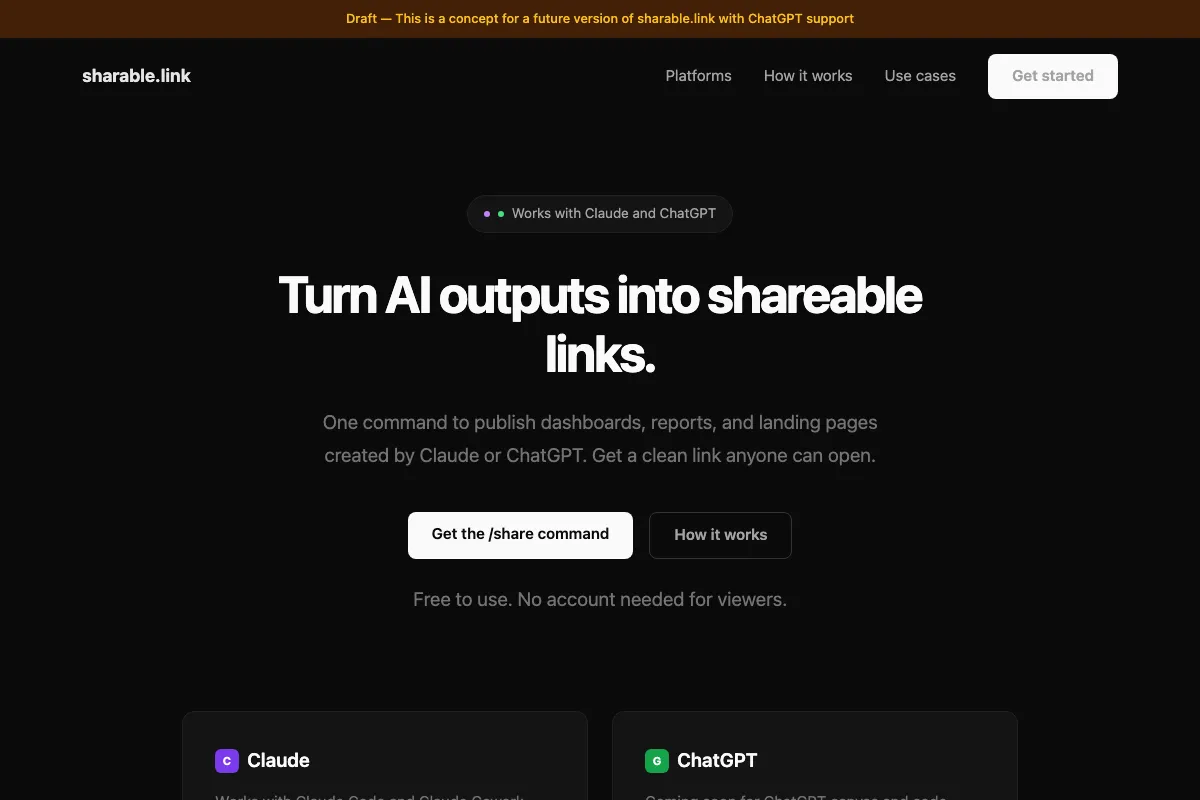
sharable.link is a simple way to turn Claude outputs into clean public links.
People using Claude to create things worth sending: reports, dashboards, landing pages, proposals, and interactive HTML outputs.
Anything Claude creates as an HTML-style output is the best fit.
No. Send the link and they can open it in the browser.
Three ways in, same result — all of them publish to the same place.
- Add the Sharable Link connector from the Claude Directory — one click, nothing to install. Or add it by hand with the connector URL. Setup guide →
- Install it as a Claude skill: download SKILL.md and upload it under Customize → Skills → + → Create skill. Screenshots →
- Drag an HTML file onto the upload page — sign in and the page lands on your dashboard.
Opening a link someone sent you doesn't need an account — unless it was shared only with specific people, who sign in with Google or Microsoft.
Yes. It's a remote MCP server — one URL, nothing to install.
https://sharable.link/mcpThe quickest way in is the Claude Directory — open the listing and click Add. To add it by hand instead: Settings → Connectors → Add custom connector, paste the URL. Either way you sign in with Google or Microsoft. Cursor, Cline, and Windsurf take the same URL in their MCP config.
You get four tools: share_html, update_page, unshare_page, list_my_pages. Full setup guide →
To publish, yes — sign in with Google or Microsoft when Claude asks. There's no password to create, and it's what lets you list, update, and unpublish your pages afterwards. To view a page someone shared with you, no — unless they shared it only with specific people or their company, in which case you sign in with Google or Microsoft to show it's you.
Yes. Sharable Link is listed at claude.ai/directory/sharable-link, so you can add it in one click from inside Claude — no URL to paste. It's a community connector, which means it passed Anthropic's automated review but isn't verified by them. You can still add it manually with the connector URL if you prefer.
Yes. sharable.link is free to use.
sharable.link has built-in password protection. Just type /share and say “with password” — Claude will ask you to set one.
Try it: sharable.link/ccnpr269 (password: 12345)
Watch how it works: youtu.be/hzFl4C4J1P0
GitHub Pages can work, but it's a few more steps: create a repo, upload files, commit, enable Pages, pick a branch, wait for deploy, and manage updates.
sharable.link removes all of that — just /share → link.
It also becomes a better fit once you want password protection or tighter access control, especially server-side.
Read the full comparison: Free HTML Hosting — 5 Ways to Share a Web Page →
Just say /share again with the same file. Claude will ask: “Update the existing link or create a new one?”
If you choose update, the URL stays exactly the same — only the content changes. Anyone who already has the link will see the new version.
You can also change or remove password protection during the update. Claude remembers your choice for the rest of the conversation, so subsequent shares update automatically.
Yes. Pages you publish through the connector or the browser upload belong to your sharable.link account — ask Claude to unshare it, or open your dashboard and click Unshare. The URL returns 404 straight away.
Published with the SKILL.md skill instead? Those pages have no owner, so removal uses the delete key you got when you published: say /unshare and give the slug and key.
Lost the key on one of those? Reach out on LinkedIn and we'll remove it manually.
This usually means your Domain allowlist is set to “Package managers only” instead of “All domains”. It's a Claude setting, not a bug in the skill.
Quick fix: Go to Settings → Capabilities, enable Allow network egress, and change Domain allowlist to All domains. Then start a new chat — settings don't apply to the current conversation.
Watch the fix: video walkthrough · Full guide with screenshots →
No. It is an independent tool built for Claude users.
You make great things with Claude.
Let people open them.
One click gives Claude the share button it never had — the next thing you build ships with a link.
Add Claude Connector